
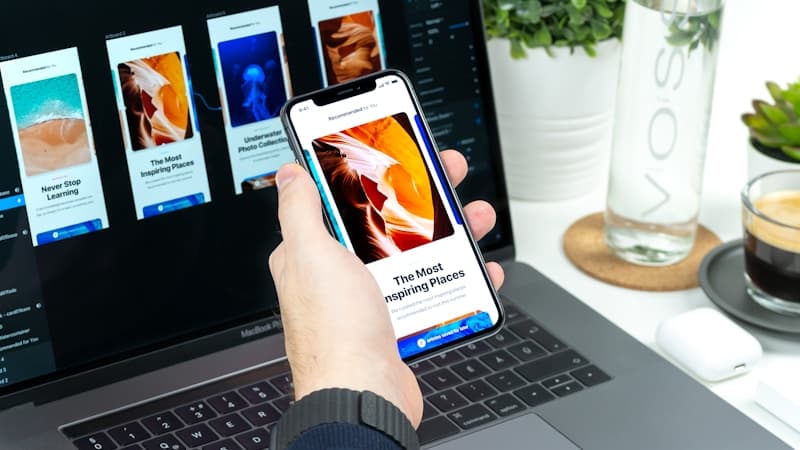
As we navigate through 2025, user interface design continues to evolve at breakneck speed. New technologies, changing user behaviors, and innovative design thinking are shaping how we create digital experiences. Here are five key UI design trends that are defining this year and will influence design decisions well into the future.
1. AI-Powered Adaptive Interfaces
The Trend
Artificial Intelligence is moving beyond chatbots and recommendations to fundamentally change how interfaces adapt to users in real-time. AI-powered interfaces learn from user behavior and automatically adjust layouts, content, and functionality to match individual preferences and contexts.
How It Works
- Behavioral Learning: Interfaces track user interactions and adapt accordingly
- Contextual Awareness: Design elements change based on time, location, device, and user state
- Predictive Design: Interfaces anticipate user needs before they're expressed
- Personalized Layouts: Content and navigation prioritize based on individual usage patterns
Real-World Applications
E-commerce Examples:
- Product catalogs that reorganize based on browsing history
- Checkout processes that adapt to user's payment preferences
- Search results that learn from past purchases
SaaS Applications:
- Dashboards that highlight the most-used features
- Navigation that prioritizes frequently accessed sections
- Onboarding flows that adjust based on user expertise level
Content Platforms:
- Article recommendations that improve over time
- Reading interfaces that adapt to user's reading speed
- Content formats that match user preferences (video vs. text)
Design Considerations
- Privacy First: Transparent data usage and user control
- Graceful Degradation: Ensure functionality without AI features
- Performance Impact: Balance personalization with speed
- User Agency: Allow users to override AI decisions
Implementation Tips
- Start with simple behavioral tracking
- A/B test adaptive features against static versions
- Provide clear user controls for personalization
- Monitor performance impact of AI features
2. Immersive 3D and Spatial Design
The Trend
With the rise of VR, AR, and spatial computing devices like Apple Vision Pro, UI design is breaking free from flat screens. Spatial design principles are now being applied to traditional interfaces, creating more engaging and intuitive experiences.
Key Elements
Depth and Layering:
- Z-axis layouts that create realistic spatial relationships
- Parallax scrolling that enhances depth perception
- Layered content that mimics real-world organization
- Shadow and lighting effects that add dimensionality
3D Interactive Elements:
- Buttons and cards that respond to hover with 3D transforms
- Navigation elements that feel physically manipulable
- Product showcases with 360-degree interaction
- Data visualizations in three-dimensional space
Spatial Navigation:
- Gesture-based interactions inspired by spatial computing
- Scrolling and transitions that respect physical laws
- Content organization that uses space as a metaphor
- Multi-dimensional information architecture
Practical Applications
E-commerce:
- 3D product viewers with realistic lighting
- Virtual showrooms and product placement
- Spatial product comparisons
- Immersive brand experiences
Education and Training:
- 3D diagrams and interactive models
- Spatial learning environments
- Virtual laboratories and simulations
- Immersive storytelling interfaces
Data Visualization:
- 3D charts and graphs for complex data
- Spatial organization of information
- Interactive data exploration tools
- Immersive analytics dashboards
Design Guidelines
- Performance Optimization: 3D elements should enhance, not hinder
- Accessibility: Ensure alternatives for users who can't perceive depth
- Progressive Enhancement: Build 2D first, enhance with 3D
- Purpose-Driven: Use 3D when it adds functional value
3. Emotional and Empathetic Design
The Trend
Design is becoming more emotionally intelligent, focusing on creating interfaces that understand and respond to user emotions, stress levels, and mental states. This trend emphasizes human-centered design that prioritizes wellbeing alongside functionality.
Core Principles
Emotional Intelligence:
- Interfaces that detect and respond to user frustration
- Design that adapts to reduce cognitive load during stress
- Empathetic error messages and guidance
- Emotional states reflected in visual design
Inclusive and Accessible Design:
- Designs that accommodate neurodiversity
- Interfaces that work for users with different abilities
- Cultural sensitivity in design decisions
- Mental health considerations in UX flows
Mindful Interaction Design:
- Reduced cognitive load through thoughtful simplification
- Breathing room through strategic white space
- Gentle animations that reduce stress
- Break reminders and wellbeing features
Implementation Strategies
Micro-Interactions with Emotion:
- Success animations that celebrate user achievements
- Error states that feel supportive rather than punishing
- Loading states that reduce anxiety
- Feedback that acknowledges user effort
Adaptive Stress Response:
- Simplified interfaces during high-stress situations
- Additional guidance when users show signs of confusion
- Calming color palettes and typography during errors
- Progressive disclosure to prevent overwhelm
Wellbeing Features:
- Dark mode for eye strain reduction
- Focus modes that minimize distractions
- Usage analytics that promote healthy habits
- Accessibility features built in, not bolted on
Examples in Practice
Health and Wellness Apps:
- Meditation interfaces with calming visuals
- Fitness apps that adapt to energy levels
- Mental health platforms with empathetic design language
- Sleep apps that use circadian-friendly design
Productivity Tools:
- Focus modes that reduce visual clutter
- Break reminders with gentle animations
- Progress indicators that celebrate small wins
- Interfaces that adapt to stress levels
Financial Services:
- Empathetic error messages for declined transactions
- Supportive guidance for financial difficulties
- Celebration of positive financial behaviors
- Accessible design for diverse financial literacy levels
4. Voice and Conversational UI Integration
The Trend
Voice interfaces are maturing beyond simple commands to become sophisticated conversational partners. The trend is toward multimodal experiences where voice, visual, and touch interactions work seamlessly together.
Evolution of Voice UI
From Commands to Conversations:
- Natural language processing that understands context
- Multi-turn conversations that remember previous exchanges
- Personality and tone that matches brand voice
- Error handling that feels conversational, not robotic
Multimodal Experiences:
- Voice commands combined with visual feedback
- Screen interfaces that respond to voice input
- Touch interactions that trigger voice responses
- Seamless switching between interaction modes
Visual Voice Interfaces:
- Waveforms and visual indicators for voice interaction
- Text displays of voice commands and responses
- Visual confirmations of voice actions
- Accessibility features for hearing-impaired users
Design Patterns
Voice-First Design:
- Interfaces designed primarily for voice interaction
- Visual elements that support, not replace, voice
- Clear voice prompts and guidance
- Fallback options for when voice fails
Progressive Voice Enhancement:
- Traditional interfaces enhanced with voice capabilities
- Optional voice shortcuts for power users
- Voice accessibility for users with motor impairments
- Contextual voice features based on user needs
Implementation Best Practices
Conversation Design:
- Clear, concise voice prompts
- Confirmation for important actions
- Error recovery through conversation
- Personality that matches brand voice
Visual Support:
- Clear indicators of voice interaction state
- Visual feedback for voice commands
- Text alternatives for all voice content
- Noise-level awareness in interface design
Accessibility Considerations:
- Support for users with speech impairments
- Alternative input methods
- Clear visual feedback for voice interactions
- Customizable voice interaction settings
5. Sustainable and Ethical Design
The Trend
Designers are increasingly conscious of their environmental and social impact. Sustainable design practices focus on reducing digital carbon footprints, while ethical design considers the broader implications of design decisions on users and society.
Environmental Considerations
Digital Carbon Footprint:
- Optimized images and media for reduced data transfer
- Efficient code that requires less processing power
- Dark mode options to reduce screen energy consumption
- Minimal, focused designs that load faster
Performance as Sustainability:
- Faster loading times reduce energy consumption
- Efficient caching strategies minimize server requests
- Optimized databases and queries
- Progressive loading to reduce unnecessary data transfer
Conscious Design Choices:
- Reduced animation and effects when appropriate
- Efficient typography and iconography
- Streamlined user flows that accomplish goals quickly
- Designed longevity rather than planned obsolescence
Ethical Design Principles
User Agency and Control:
- Clear privacy controls and data usage explanations
- Easy opt-out mechanisms for tracking and marketing
- Transparent algorithms and recommendation systems
- User control over personalization and data sharing
Inclusive and Accessible:
- Design that works for users with diverse abilities
- Cultural sensitivity in global interfaces
- Economic accessibility through efficient, low-bandwidth designs
- Language and literacy considerations
Mental Health and Wellbeing:
- Features that promote healthy digital habits
- Reduced dark patterns and manipulative design
- Honest and transparent user communications
- Break reminders and usage awareness tools
Practical Implementation
Design System Considerations:
- Accessibility built into component libraries
- Performance budgets for environmental impact
- Ethical guidelines for design decisions
- Regular audits of design impact
Development Practices:
- Code reviews that consider sustainability
- Performance monitoring and optimization
- Accessibility testing as standard practice
- User research that includes diverse perspectives
Business Alignment:
- Stakeholder education on sustainable design benefits
- Metrics that include environmental and social impact
- Long-term thinking over short-term gains
- Transparent reporting on design impact
Preparing for These Trends
Getting Started
Skill Development:
- Learn about AI and machine learning applications in design
- Experiment with 3D design tools and spatial concepts
- Study psychology and human-centered design principles
- Explore voice interface design patterns
Tool Exploration:
- 3D design software (Blender, Cinema 4D, Spline)
- AI-powered design tools (Figma AI, Adobe Sensei)
- Voice design platforms (Voiceflow, Amazon Alexa Skills)
- Accessibility testing tools (WAVE, axe)
Team Preparation:
- Cross-functional collaboration between designers and developers
- User research that includes emotional and contextual factors
- Design systems that accommodate new interaction paradigms
- Regular trend monitoring and team education
Implementation Strategy
Phase 1: Foundation (Months 1-3)
- Audit current designs for accessibility and performance
- Establish sustainable design principles
- Begin experimenting with 3D elements
- Implement basic emotional design principles
Phase 2: Enhancement (Months 4-6)
- Add voice interface elements where appropriate
- Implement AI-powered personalization features
- Expand 3D and spatial design elements
- Develop empathetic error handling and messaging
Phase 3: Innovation (Months 7-12)
- Create fully adaptive interface elements
- Implement sophisticated spatial navigation
- Develop comprehensive voice interaction patterns
- Lead industry practices in sustainable design
Conclusion
The UI design trends of 2025 reflect a maturing understanding of how technology can better serve human needs. From AI that adapts to our behaviors to designs that consider our emotional wellbeing and environmental impact, these trends point toward a more thoughtful, inclusive, and sustainable future for digital experiences.
The key to successfully implementing these trends is to focus on the human benefits they provide rather than the technology itself. Start small, test with real users, and always prioritize accessibility and usability over novelty.
As these trends continue to evolve, the designers and teams that embrace human-centered, sustainable, and innovative approaches will create the digital experiences that define the next era of user interface design.
Ready to implement these cutting-edge design trends in your next project? At Kode by Kraft, we stay at the forefront of UI/UX innovation to create future-ready digital experiences. Let's design something that not only looks amazing but genuinely improves users' lives.
Share this article